Most CRM searches start with “best CRM 2026” and end with overwhelm. There are dozens of platforms, each promising AI, automation, and “360‑degree customer views.” What actually matters is not which CRM has the most features, but which one your team will consistently use—and which fits your processes and budget without unnecessary complexity.
Business‑software analysts generally group CRM use into three main types: operational (day‑to‑day sales and support workflows), analytical (reporting and insights), and collaborative (sharing customer information across teams). Different products emphasise different mixes of these, and different business sizes need different balances. At the same time, market comparisons repeatedly show that ease of use, implementation effort, and fit with business size are the top deciding factors, often outranking raw feature count.
This article explains how to choose a CRM that fits your size today and can grow with you, with concrete examples of tools commonly recommended for small, mid‑market, and enterprise businesses.
Step 1: Match CRM Type to Your Needs
Before looking at specific products, clarify what type of CRM you actually need.
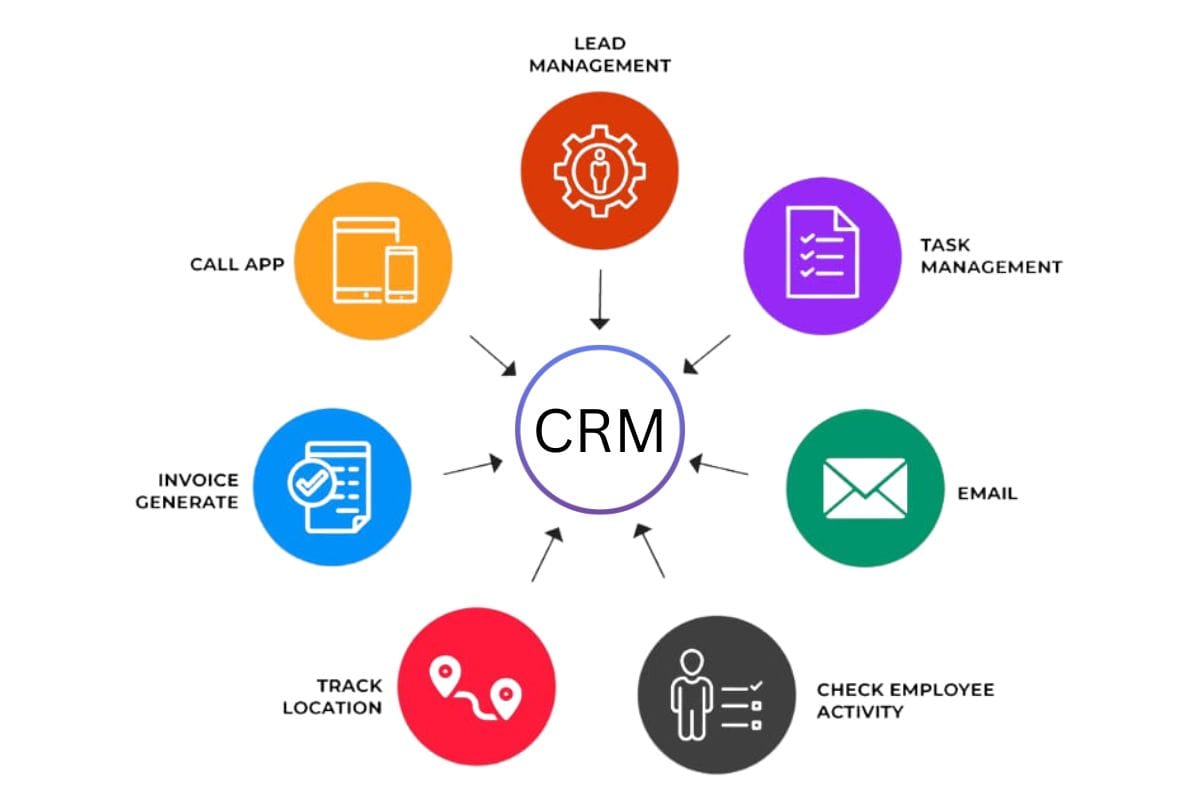
Most expert guides distinguish three core categories:
- Operational CRM: Focused on pipelines, tasks, automations, and day‑to‑day sales, marketing, and service activities. Ideal for teams that want structure and efficiency.
- Analytical CRM: Emphasises reporting, dashboards, segmentation, and forecasting. Best for organisations with lots of data that need better decisions and strategy.
- Collaborative CRM: Designed to share customer information across departments—sales, support, marketing, account management—so everyone sees the same picture.
Many modern platforms blend all three, but usually lean toward one strength. Small businesses tend to start with operational CRM; larger firms care more about analytical and collaborative features and customisation.
Ask yourself:
- Do you primarily need to organise contacts and deals, or to run complex multi‑channel campaigns and deep analytics?
- How many people will use the system in the first 12–18 months?
- How complex is your sales process: simple, medium, or highly customised by segment and product?
Your answers will guide you toward the right “class” of CRM.
Step 2: Understand Business Size Categories
Strategy and tool fit change with scale. One widely used framework breaks size roughly as:
- Solopreneur: 1 person
- Micro / startup: 2–5 employees
- Small business: 6–10 employees
- Mid‑sized: 11–250 employees
- Enterprise: 250+ employees
These numbers are approximate, but useful. A one‑person consultancy and a 150‑person regional distributor have very different CRM needs and budgets.
Step 3: CRMs for Solopreneurs and Micro Businesses
At this stage, complexity is your enemy. You need something you can set up in a day and actually use.
What to prioritise
- Simplicity and ease of use: Minimal setup; intuitive interface.
- Contact and deal tracking: One place for leads, customers, and pipeline.
- Basic automation: Follow‑up reminders, simple email sequences.
- Affordability: Free or low‑cost tiers.
Analyses of CRM tools for small businesses repeatedly highlight lightweight, affordable platforms that combine basic sales, marketing, and support without overwhelming solo users.
Commonly recommended options
- Tools such as HubSpot CRM and Zoho CRM are frequently cited as good fits at this level because they offer generous free tiers or low‑cost plans, simple contact management, email integration, and basic automation.
- Other small‑business‑focused CRMs like Capsule, Salesmate, or EngageBay also appear often in “best CRM for small business” lists, emphasising ease of setup and low monthly cost.
Questions to ask
- Can you import your existing contacts easily from spreadsheets or email?
- Does it integrate with your email/calendar and maybe your invoicing tool?
- Can you run your entire sales process in it without needing consulting help?
If a CRM needs a multi‑week implementation project at this stage, it is too complex for you.
Step 4: CRMs for Small to Mid‑Sized Businesses (6–250 Employees)
As teams grow, needs change: you have more people to coordinate, more deals to manage, and more data to analyse.
What to prioritise
- Scalability: Ability to add users and features as you grow.
- Automation: Deal assignment, follow‑up sequences, lead scoring, and simple workflows.
- Integrations: With marketing tools, customer support, accounting, and other systems.
- Reporting: Pipeline visibility, conversion rates, and basic forecasting.
Comparative reviews consistently position platforms like Zoho CRM, HubSpot, Pipedrive, Freshsales, and Insightly as strong candidates for small‑to‑mid‑size teams because they offer deeper sales automation, reporting, and integrations while remaining more approachable than heavy enterprise systems.
Typical tool fit
- Sales‑driven small teams: Pipedrive and Freshsales are often recommended for their visual pipelines and sales‑first design.
- Growing multi‑function SMEs: Zoho CRM and HubSpot appear frequently as they combine sales, marketing, and support capabilities with large integration marketplaces.
- Project‑heavy businesses (agencies, consultancies): Insightly and similar tools combine CRM with project management workflows.
Questions to ask
- Does the CRM support your current sales stages and allow you to add more later?
- Can it integrate with your email marketing, website forms, support system, and billing?
- Do managers get the pipeline and performance reports they need without exporting everything to spreadsheets?
At this stage, you should also look seriously at user training, internal champions, and adoption plans—not just features.
Step 5: CRMs for Large and Enterprise Organisations
Once you reach hundreds of employees and multiple departments or business units, you usually need a more robust, customisable platform.
What to prioritise
- Customisation: Custom objects, complex workflows, and granular permissions.
- Data model and integrations: Ability to integrate with ERP, finance, marketing, support, and data warehouses.
- Advanced analytics: Multi‑layered reporting, forecasting, and AI‑driven insights.
- Governance and security: Roles, audit trails, compliance certifications.
Analyst reports and vendor guides commonly position Salesforce, Microsoft Dynamics 365, SAP CRM, and Oracle NetSuite as suitable for larger organisations because they provide extensive customisation, integration ecosystems, and enterprise‑grade security and governance.
For example:
- Salesforce offers multiple editions, with higher tiers adding advanced customisation, automation, and analytics; large organisations often employ admins or developers to tailor it.
- Microsoft Dynamics 365 tightly integrates CRM with other Microsoft tools and can be extended with modules and custom applications.
Questions to ask
- Do you have (or plan to have) in‑house or partner resources to administer and extend the CRM?
- Can it support complex sales structures (multiple regions, product lines, partner channels)?
- Does it meet your data‑residency, compliance, and audit requirements?
Enterprises often run formal RFPs and pilot projects before committing because switching costs are high.
Step 6: Cross‑Size Selection Criteria That Always Matter
Regardless of size, several factors consistently show up as top decision criteria in CRM selection research:
- Ease of use and adoption
Gartner‑cited data suggests that around 85% of businesses rank ease of use and implementation as critical in CRM decisions. A “perfect” CRM that sales and service teams hate using will quietly fail.
Consider:
- User interface clarity.
- Training resources and onboarding support.
- Mobile app usability for field teams.
- Fit to your process (not the other way round)
You should not have to completely contort your sales and service processes just to match the CRM. Look for:
- Configurable pipelines, fields, and workflows.
- Ability to start simple and add complexity later.
- Support for your core channels (email, phone, WhatsApp, web forms, etc.).
- Integration ecosystem
CRMs rarely live alone. Comparisons often highlight integration breadth as a major differentiator:
- Email and calendar (Google Workspace, Microsoft 365).
- Marketing automation, chat, telephony.
- Invoicing, accounting, ERP, and e‑commerce.
- APIs for building custom connections.
- Total cost of ownership
Look beyond per‑user license prices:
- Implementation and migration costs.
- Training and change‑management.
- Add‑ons, extra modules, or required companion products.
- Admin or consultancy fees for complex platforms.
Small businesses often overbuy features they never use; enterprises sometimes under‑estimate implementation and maintenance effort.
- Scalability
Ask:
- Can this tool handle 2–5x user growth?
- Are there higher tiers you can move into without re‑platforming?
- How easy is it to add new teams (e.g., customer success, marketing, support) later?
Comparative guides often recommend starting with a vendor that can support your next size up, not just your current state, to avoid costly migrations.
Step 7: A Simple Evaluation Process You Can Follow
To avoid analysis paralysis, use a structured approach:
- Map your requirements by size and type. List must‑haves (e.g., contact management, pipeline, email integration) and nice‑to‑haves (e.g., advanced forecasting, AI suggestions).
- Shortlist 3–5 tools that others commonly recommend for your size and industry. Many comparison articles pre‑group tools this way.
- Use free trials or sandbox demos. Set up basic pipelines, import a small set of contacts, and simulate daily work.
- Involve actual users early. Get sales reps, account managers, and support staff to test; collect their feedback on usability and fit.
- Score each option against your criteria: usability, feature fit, integrations, cost, and scalability.
- Start with a pilot. Roll the chosen CRM out to a subset of users or a single business unit for 60–90 days before a full rollout.
This iterative approach mirrors best practices described in CRM selection and strategy guides and helps reduce risk.
The “right” CRM depends less on name recognition and more on alignment with your current size, processes, and realistic growth path. Small businesses usually do best with simple, affordable, all‑in‑one tools that they can deploy quickly and actually use. Mid‑sized organisations benefit from platforms that balance richer automation and analytics with reasonable complexity. Large enterprises need robust, highly customisable CRMs that can integrate deeply into their wider tech stack.
Across all sizes, focusing on ease of use, process fit, integration capability, total cost, and scalability will serve you better than chasing buzzwords. Start from your workflows and team, shortlist tools designed for your size category, and validate through hands‑on trials. That way, your CRM becomes what it should be: a practical system that supports growth instead of a shiny but underused piece of software.
Also Read:
 Ummulkiram Pardawala
 Umema Arsiwala
 Ummulkiram Pardawala
 Shahba Mayyeri