
In 2026, “using AI” is no longer a futuristic idea reserved for Silicon Valley—it is fast becoming the baseline for how small businesses operate, sell, and compete. From neighbourhood clinics and cafés to e‑commerce startups and boutique agencies, owners are using AI to answer customer queries instantly, follow up with leads automatically, and turn messy spreadsheets into clear cash‑flow forecasts—all without hiring extra staff.
Studies of small firms, including those in the UAE, show that most who adopt AI report higher revenue or lower costs, yet many others still feel paralysed by choice and uncertainty about which tools actually work for businesses of their size.
The goal of this article is to cut through that noise: to highlight proven AI tools that exist today, explain in plain language what they do, and show exactly where they can plug into a small business so owners can make smarter, more confident decisions about adopting AI.
Why AI Matters for Small Businesses in 2026
Surveys of small firms globally and in the UAE show three clear trends.
- A majority of SMEs using AI say it has increased revenue or reduced costs.
- The most common use cases are: automating routine tasks, improving marketing and sales, forecasting, and customer support.
- The biggest barriers are: not knowing which tools to pick, fear of complexity, and concerns about data security.
In the UAE, small firms are under extra pressure because of the country’s AI 2031 strategy and the fast pace of digital transformation: they compete with larger, AI-enabled companies and a tech‑savvy customer base. The goal is not to “replace people with AI,” but to free people from low‑value tasks so they can focus on selling, serving customers, and innovating.
The tools below are widely used, well‑documented, and designed for non‑technical small business owners.
AI Assistants for Everyday Productivity
Microsoft Copilot (for Microsoft 365)
What it is: AI built into Word, Excel, PowerPoint, Outlook and Teams.
How it helps small businesses:
- Drafts emails from bullet points in Outlook.
- Summarises long email threads and Teams meetings.
- Creates PowerPoint drafts from a Word document or outline.
- Analyses Excel data to create charts, summaries and explanations.
Microsoft reports that users save time on document creation, meeting follow‑ups and email triage; small businesses benefit because most already use Microsoft 365, so there is no need to buy a separate tool.
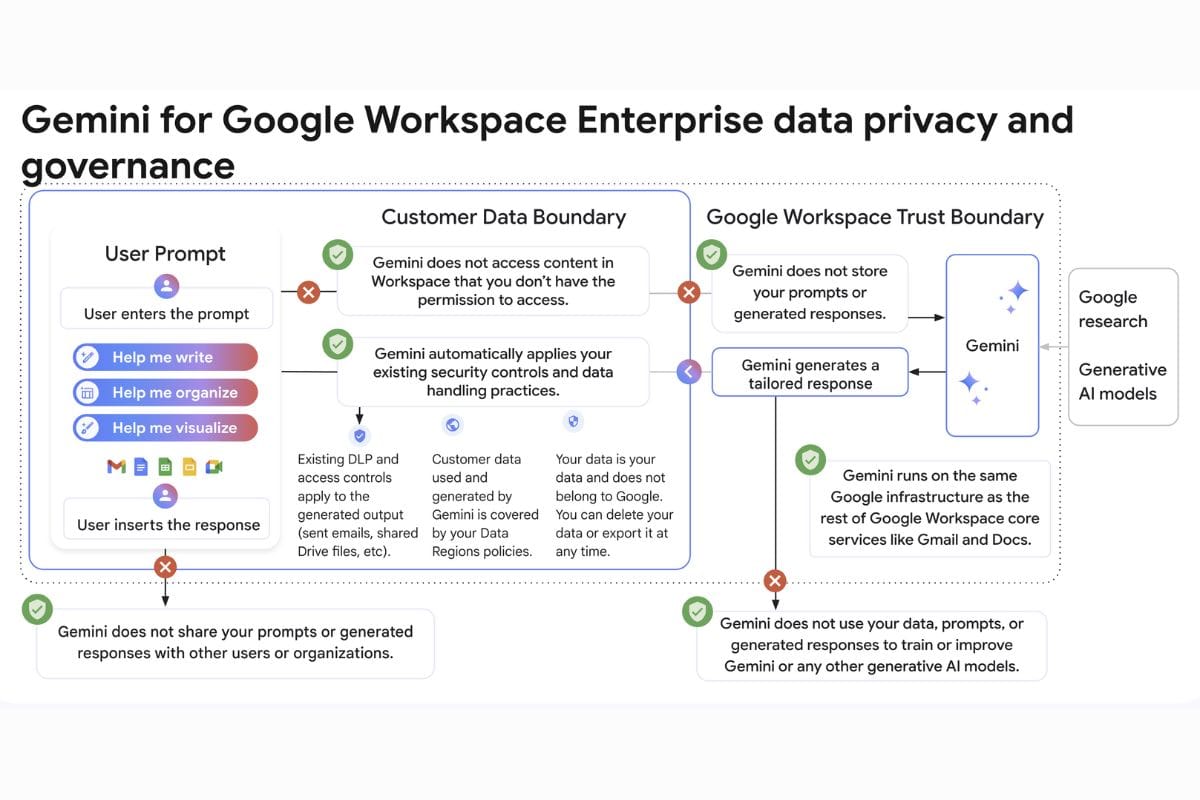
Google Gemini for Workspace (formerly Duet AI)
What it is: AI assistant integrated into Gmail, Docs, Sheets, Slides and Meet.
How it helps:
- Writes and replies to emails in Gmail.
- Drafts blog posts, proposals and job descriptions in Docs.
- Creates formulas and simple dashboards in Sheets.
- Summarises meetings and action items from Meet.
This is best for businesses already on Google Workspace. It reduces manual typing and helps non‑experts work faster in Docs and Sheets.
Practical tip: Start with one or two features (email drafting, meeting summaries) before exploring more advanced uses.
AI for Sales, Marketing and CRM
HubSpot with AI Features
What it is: A CRM platform for marketing, sales and customer service with built‑in AI tools.
Key AI features for small businesses:
- AI email writer for sales outreach and marketing emails.
- AI blog idea and outline generator.
- Lead scoring to highlight the hottest prospects.
- Chatbot for basic website inquiries.
Small businesses use HubSpot to keep all contacts, deals and communications in one place, while AI automates repetitive tasks such as first‑draft emails and prioritising leads.

Salesforce Einstein (for Salesforce CRM)
What it is: AI layer on top of Salesforce CRM.
How it helps:
- Predicts which leads are most likely to convert (lead scoring).
- Forecasts sales pipeline and revenue.
- Suggests next best actions for sales reps.
For UAE businesses already on Salesforce or planning to scale, Einstein is useful because it works on top of existing data rather than requiring a new system.
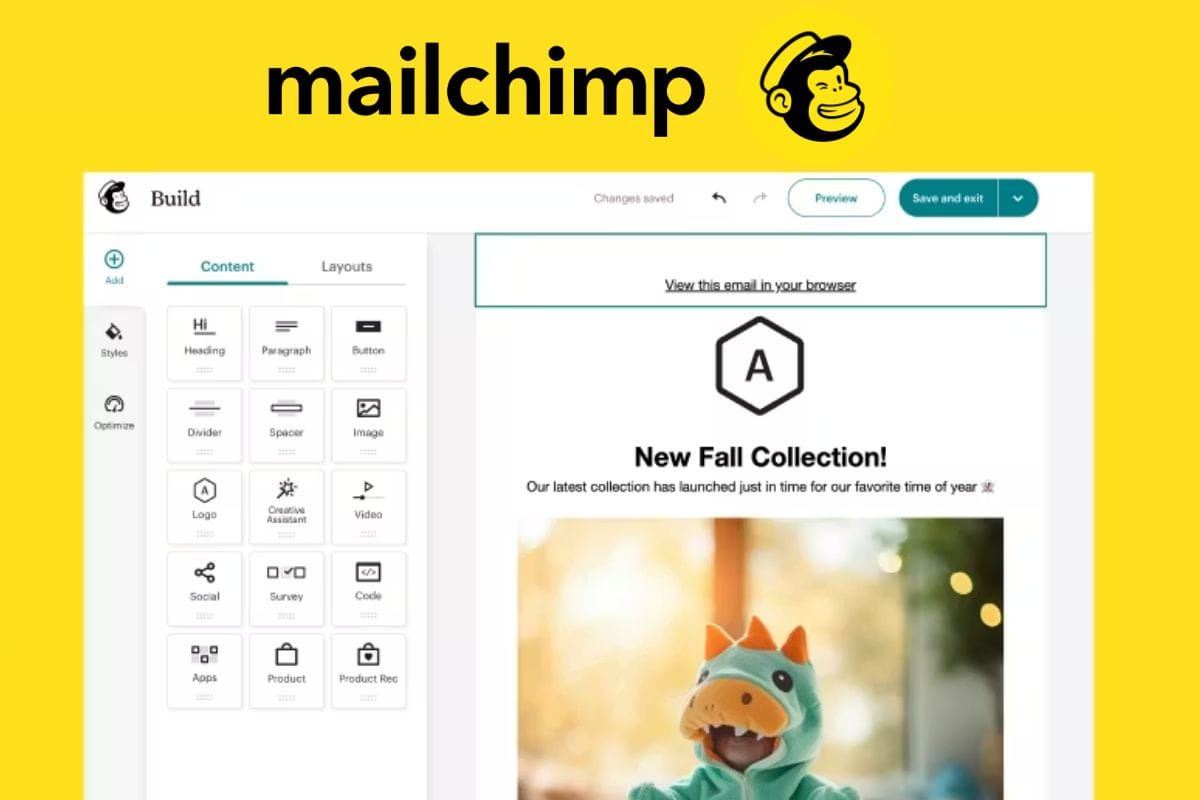
Mailchimp with AI Content and Send‑Time Optimisation
What it is: Email marketing platform widely used by small businesses, now including AI features.
Key AI capabilities:
- Generates email subject lines aimed at higher open rates.
- Suggests send times for each subscriber segment based on past behaviour.
- Recommends content sections based on past campaign performance.
Mailchimp’s AI tools help non‑marketers send better campaigns without deep expertise, and its pricing is SME‑friendly.
Jasper AI (for Marketing Copy)
What it is: AI writing tool designed for marketing content.
Use cases:
- Facebook and Instagram ad copy.
- Google Ads headlines.
- Landing page text.
- Product descriptions.
Jasper offers templates for specific marketing tasks and supports multiple languages, which can be useful in the UAE’s multilingual environment. Human review and editing remain essential, but it speeds up ideation significantly.
AI for Customer Support and Chat
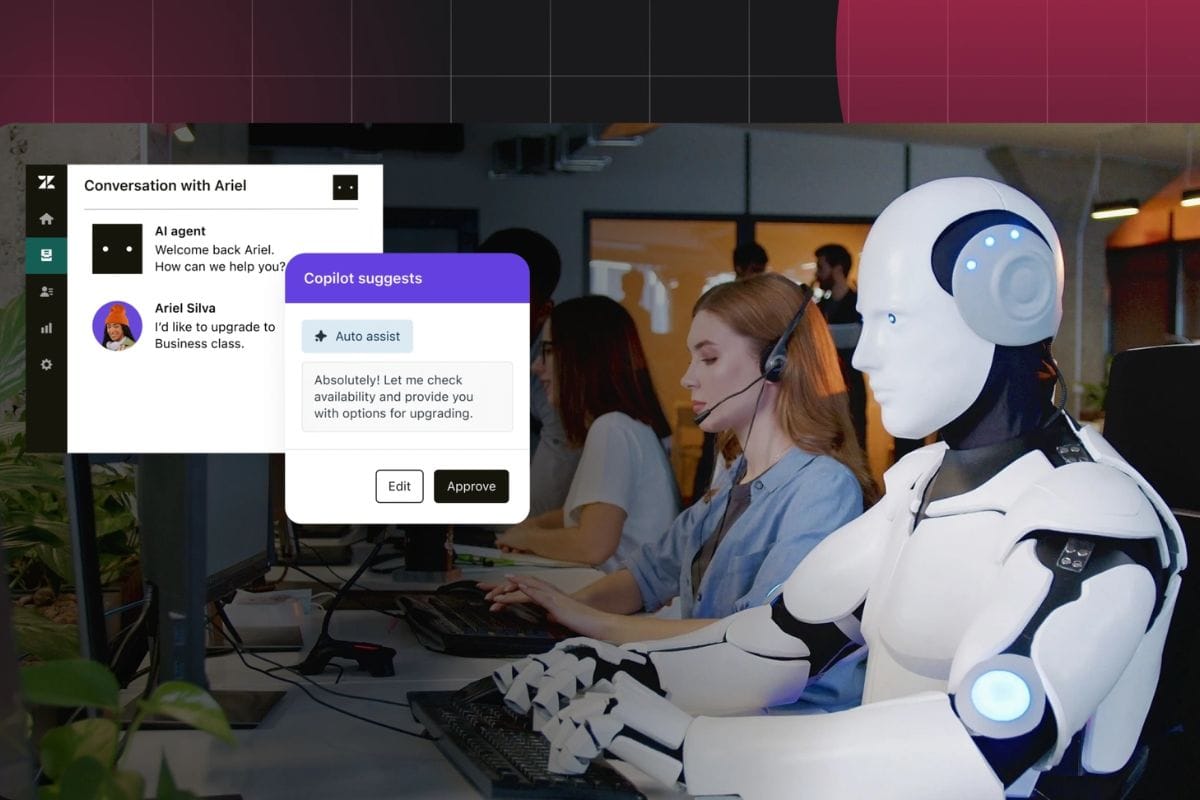
Zendesk with AI
What it is: Customer service platform with AI features such as chatbots and answer suggestions.
How it helps small businesses:
- AI chatbot handles common questions (opening hours, order status, basic troubleshooting).
- Suggests reply drafts to agents based on past tickets and knowledge base.
- Prioritises tickets based on sentiment and urgency.
Zendesk reports that AI can deflect a large share of repetitive queries, which is critical for small teams handling support via email, chat and social media.
Freshdesk with Freddy AI
What it is: Cloud-based helpdesk tool popular with SMEs, with an AI assistant called Freddy.
Key AI functions:
- Chatbots for website and apps.
- AI‑suggested solutions for agents.
- Automatic categorisation of tickets.
Freshdesk is priced for smaller teams and works well for SMEs wanting to centralise WhatsApp, email and chat support.
Practical tip: Start with an FAQ chatbot for your top 20 questions; expand as you see deflection working.
AI for Finance, Accounting and Forecasting

QuickBooks Online with AI
What it is: A leading small‑business accounting platform that now uses AI.
AI‑driven features:
- Automatically categorises expenses.
- Flags potential duplicate or suspicious transactions.
- Generates cash‑flow forecasts based on past income and bills.
QuickBooks helps non‑finance founders get basic financial visibility without manual spreadsheets; its AI reduces data‑entry errors and saves time.

Xero with Analytics Plus
What it is: Cloud accounting software widely used by SMEs, including in the Middle East, with analytics and forecasting.
Useful AI‑type features:
- Short‑term cash‑flow projections.
- Business snapshot dashboards.
- Trend analysis of income and expenses.
These tools help owners answer questions such as “Can I afford to hire?” or “What happens if sales drop 20% for two months?” using their own data, not guesswork.
Practical tip: Connect your bank feeds and invoicing, then review the dashboard weekly to catch cash‑flow issues early.
AI for HR, Hiring and People Management
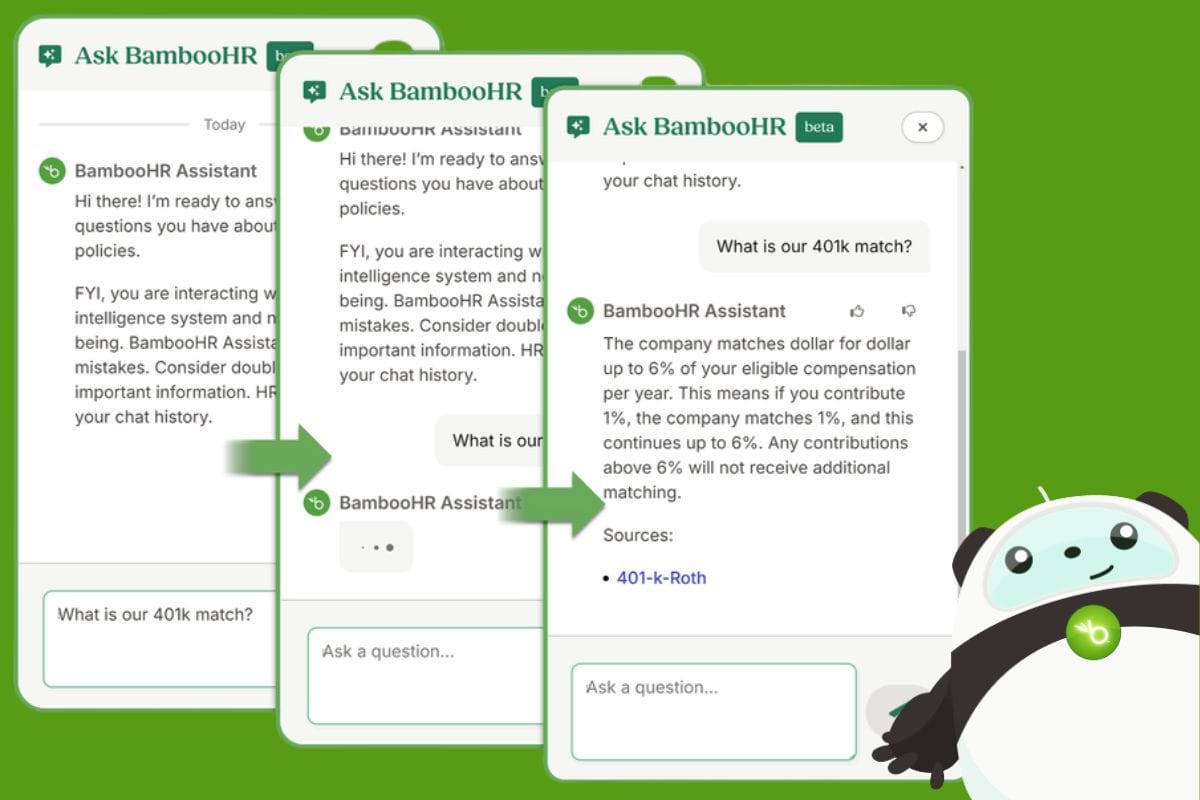
BambooHR with AI‑Powered Insights
What it is: HR platform for SMEs that manages employee data, leave, performance and onboarding.
Relevant AI‑related features:
- Reporting on turnover, headcount trends and performance.
- Simple workflows for approvals and onboarding.
- Integration with hiring tools.
While not as “flashy” as chatbots, these analytics help small businesses understand staffing patterns and identify HR risks early.
Workable with AI for Hiring
What it is: Recruitment platform used by many SMEs.
AI capabilities:
- Candidate sourcing suggestions based on job description.
- Ranking applicants against role requirements.
- Screening‑question recommendations.
For small businesses without dedicated recruiters, Workable’s automations reduce time‑to‑hire and improve match quality.
AI for Data, Reporting and “Mini‑BI”

Coupler.io with AI Analysis
What it is: Data automation tool that pulls information from apps like HubSpot, Xero, Shopify and Google Analytics into Google Sheets or Excel, with AI‑assisted analysis.
How it helps small businesses:
- Creates live dashboards for sales, marketing and finance without coding.
- Uses AI to summarise what’s happening (e.g., “Revenue is up 15% month‑on‑month, driven by Product X”).
- Lets owners monitor KPIs without building full BI systems.
This is particularly useful once a business is using several SaaS tools and wants a single view of performance.
How to Choose AI Tools Without Getting Overwhelmed
Articles aimed at SMEs consistently recommend a simple, practical selection process.
Step 1: Identify 1–2 Pain Points, Not “AI in General”
Common starting points:
- Too much time on email and admin.
- Unreliable follow‑up with leads.
- No clear view of cash flow.
- Repetitive customer questions.
Pick the issue that either (a) wastes the most of your time or (b) blocks revenue growth.
Step 2: Start With AI Inside Tools You Already Use
If your company is already on Microsoft 365, Google Workspace, QuickBooks, Xero, Salesforce or HubSpot, first explore the AI features they offer before adding new platforms. This reduces training and integration issues.
Step 3: Test With a Pilot, Not a Full Rollout
Most of the tools above offer free trials or low‑tier plans. Best practice for SMEs is:
- Run a 30–60 day pilot with a small team or single process.
- Define what success looks like (e.g., “cut time spent on monthly reporting by 50%” or “increase email open rates by 10%”).
- Compare before and after.
If the tool clearly hits those goals, then expand its use; if not, cancel and move on.
Step 4: Check Security, Data and Support
UAE and global SME surveys show that security and data handling are major concerns with AI. Before committing:
- Read the vendor’s data policy (who owns your data, where it’s stored, how it’s used).
- Confirm they support MFA (multi‑factor authentication) and encryption.
- Prefer vendors with clear compliance documentation and a track record with small businesses.
If your business handles sensitive data (healthcare, finance, legal), consider consulting an IT security specialist before deploying AI widely.
Common Mistakes to Avoid
Based on SME case studies and expert guidance, the main pitfalls are:
- Buying too many tools at once. This creates confusion, duplication and unused subscriptions.
- Chasing “shiny” AI instead of solving real problems. Always tie a tool to a clear use case.
- Skipping training. Even “easy” tools need a basic onboarding session so staff use them correctly.
- Ignoring change management. Staff may fear AI will replace them; explain that it is there to remove drudge work, not good jobs.
- Neglecting measurement. If you don’t track time saved, errors reduced or revenue uplift, you can’t tell what is working.
For small businesses in 2026—especially in fast‑moving markets like the UAE—AI is no longer an optional experiment. It is becoming a basic part of how work gets done, from email and sales to customer support and finance. The good news is that you don’t need to be a programmer or buy an expensive “AI system” to benefit.
Begin with one or two well‑chosen tools, ideally within platforms you already use. Focus on concrete outcomes such as hours saved, faster response times, or more consistent follow‑up with leads. As those gains stack up, your team will trust the technology more, and you can gradually introduce AI into other areas of the business.
The companies that will thrive are not those that use the most AI, but those that use the right AI—deliberately, securely and in direct support of clear business goals.
Also Read:
 Ummulkiram Pardawala
 Umema Arsiwala
 Ummulkiram Pardawala
 Umema Arsiwala
 Shahba Mayyeri